Windows Apps Integration
Installed versions of Node.js are visible in the Windows Apps screen. They can be uninstalled directly from there too.
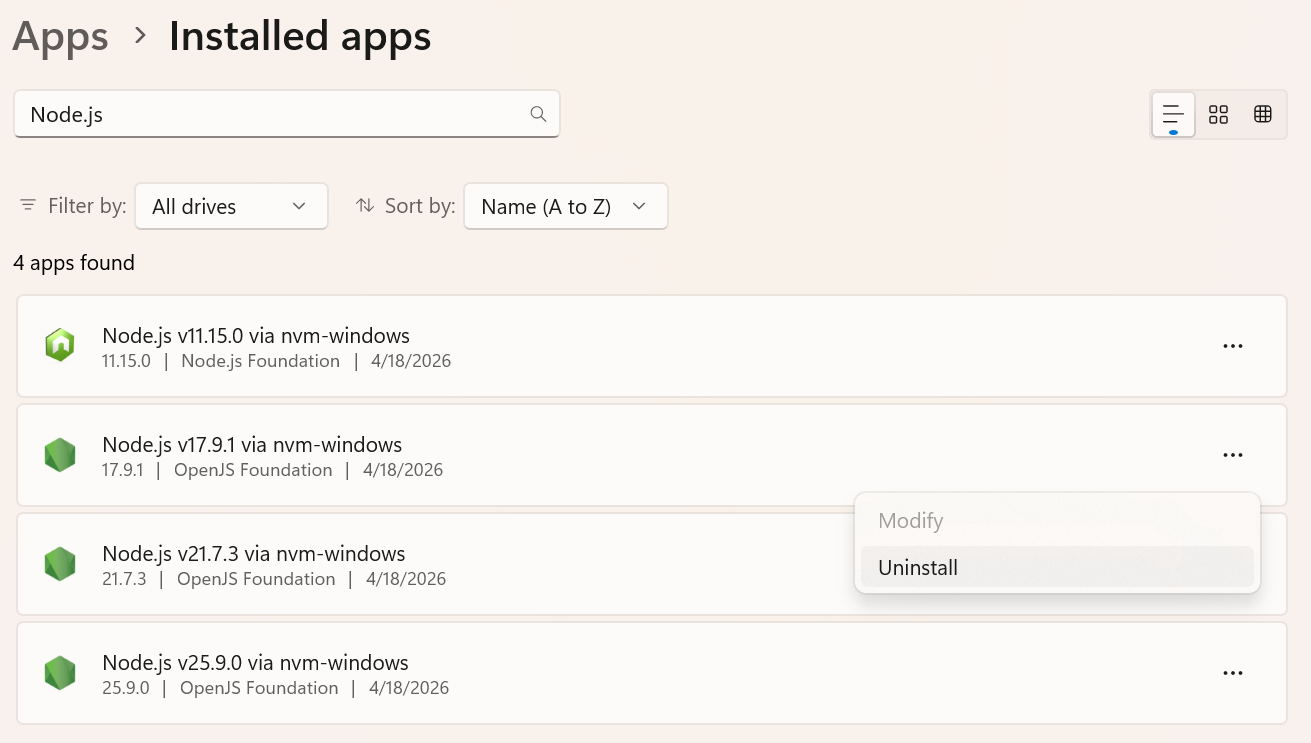
The operating system recognizes each version as a bona fide "official" installation.
Added Cybersecurity Value
Version managers traditionally operate on "shadow installs", meaning Node.js exists wherever the version manager stores it. The OS doesn't differentiate it from any other file, such as a nefarious file named node.exe to mimick the real thing.
By surfacing installations, NVM for Windows helps Windows itself distinguish between proper installations and slick knock-offs.
Common scanning tools like Qualys or CrowdStrike identify "official" apps, including versions of Node.js installed by NVM for Windows. This produces tangible data sets for vulnerability assessments. Since each version is registered with the OS, these tools can identify rogue files renamed to node.exe that aren't among official installations. This makes it easier to detect malware masquerading as Node.
NVM for Windows cryptographically verifies the publisher of the executable upon installation while Windows auditing/antivirus tracks changes if someone tries to overwrite the file. NVM for Windows shim mode also verifies node executables on every execution.