Windows Native Logging
This overview covers basic logging. Advanced Logging is available for Certified Builds.
Critical events are logged natively, including activities like Node.js version installations, configuration changes, and security concerns.
Community Builds produce events in plaintext entries in the Windows Application log, which is visible from Windows Event Viewer. "NVM for Windows" is registered as an event source.
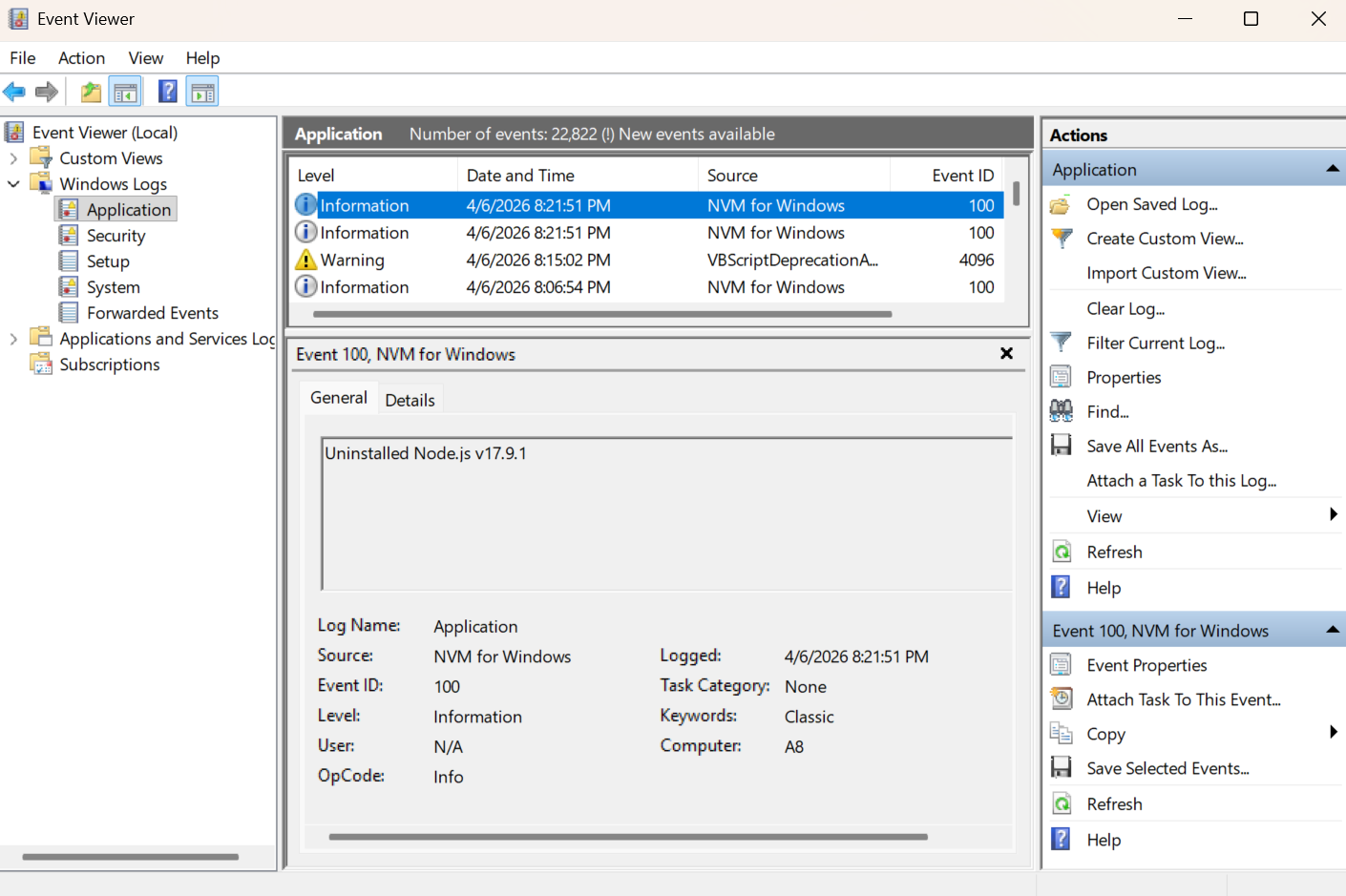
Certified Builds produce events in a dedicated NVM for Windows/Operational log, which is also visible from Windows Event Viewer. The Advanced logging add-on is available for Certified Builds, offering enriched / structured logs for auditing, observability, and SIEM pipelines.
Verbose Logging Options
Only critical change events are logged by default, but it is possible to log more activities.
Log node.exe invocations
When you turn this on, NVM writes one Windows event for every node.exe invocation (shim mode only).
nvm config set log_executions=true
node -v
- Open Event Viewer.
- Community: Windows Logs → Application, source NVM for Windows. Certified: Applications and Services Logs → NVM for Windows → Operational.
- Filter by Event ID 120.
Each node.exe launch is Event ID 120 (nodejs.executed). Event ID 200 is unused. On Certified Builds the classic record can include parent_process, parent_pid, project_name, and project_path when the host can resolve them — no Advanced Logging license required. Advanced Logging adds structured EventName / JSON Payload for SIEM.
# Community (Application log)
wevtutil qe Application /q:"*[System[Provider[@Name='NVM for Windows'] and (EventID=120)]]" /f:text /c:5
# Certified (Operational channel)
wevtutil qe "NVM for Windows/Operational" /q:"*[System[(EventID=120)]]" /f:text /c:5
Advanced Logging details additional capabilities. SIEM has fleet queries.
Warnings
Both builds register an ETW provider (NVMWindows.Events.man + NVMWindows.Events.dll next to nvm.exe).
Community Builds register the NVM for Windows source on the Windows Application log. Certified Builds register NVM for Windows/Operational instead. Advanced Logging requires this dedicated channel.
If setup cannot elevate (UAC canceled / non-admin), or the log is missing, run nvm --register-eventlog from an elevated terminal, or reinstall and accept the UAC prompt.
Related
- Advanced Logging — Certified Builds structured events
- SIEM — fleet queries
- Operating Modes